|
BTCMiner - Bitcoin Miner for ZTEX FPGA Boards
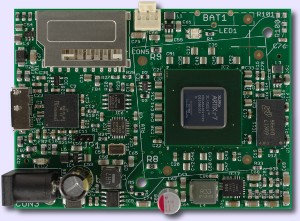
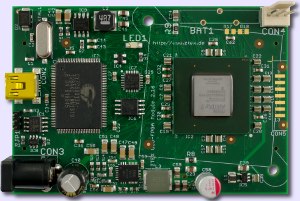
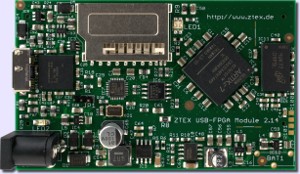
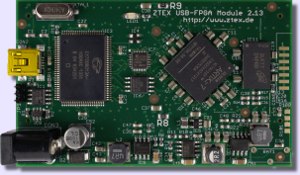
BTCMiner is a Bitcoin Miner software which allows you to make money with your ZTEX USB-FPGA Module.
Since these FPGA Boards contain an USB interface no additional hardware (like JTAG programmer) is required and
low cost FPGA-clusters can be build using standard USB hubs.
Features
- Supported FPGA Boards:
- Dynamic frequency scaling / overclocking based on error measurement, i.e. BTCMiner automatically chooses the frequency with the highest rate of valid hashes.
- Cluster mode: one software instance can control many FPGA Boards (up to several hundreds, limited by the number of USB host controllers)
- Hot-plugging: new FPGA Boards can be added / removed during runtime
- Stale reduction by Long Polling and block monitoring
- Backup server / pools
- Possibility of enumeration of FPGA Boards and cluster partitioning using that numbers
- Power save mode after 5min inactivity of per command
- Temperature monitoring and overheat shutdown (USB-FPGA Module 1.15y rev. 2)
- Overheat protection by shutdown if error rate increase to much
- Logging
- Package is Open Source
- Ready-to-use Bitstream, i.e. no Xilinx Software or Licence required
Usage
All files required are packed into a single jar archive which can be downloaded from the download section
and runs under Linux and Windows. Windows users need to install the libusb driver from the SDK.
More details requirements can be found in the Running an Example Tutorial.
For Mac users there is a user contributed port on the Wiki: MacOS port.
General Usage
In order to get work and to submit the results BTCMiner needs to connect to a bitcoin server or mining pool server:
java -cp ZtexBTCMiner-<release>.jar BTCMiner [-host <host url>] -u <username> -p <password> \
[-b <host url> <username> <password> [-b ...]] \
[-l <log file>] [-bl <submitted blocks log file>]
|
where
| <release> |
denotes the release number (see download section) |
| <host url> |
denotes the URL of the server you want to connect to. The URL has to contain the protocol and port number.
This is usually something like http://<hostname>:8332. The URL of a local server is http://127.0.0.1:8332 (default). |
| <username> |
denotes the user name for the server |
| <password> |
denotes the password for the user |
| <log file> |
denotes a name of a file where messages are logged. This is optionally. |
| <submitted blocks log file> |
denotes a name of a file where submitted blocks are recorded. This is optionally. |
With -host, -u and -p access data for primary server / mining pool are specified, with -b backup server / pools can be defined.
Multiple alternate addresses can be given by several specifications of -b. Backup accesses are used if connectivity to the primary server / mining pool is interrupted.
A list of all available parameters can be obtained by
|
java -cp ZtexBTCMiner-<release>.jar BTCMiner -h
|
Running a single FPGA Board
The command for running a single FPGA miner is
java -cp ZtexBTCMiner-<release>.jar BTCMiner -host <host url> -u <username> -p <password> \
[-b <host url> <username> <password> [-b ...]] \
[-l <log file>] [-bl <submitted blocks log file>] \
[-f <firmware file>] [-d <device number;]
|
where
| <firmware file> |
denotes a firmware file from the Firmware List below. This parameter is not required if the firmware has been written to EEPROM. |
| <device number> |
If there are more than one FPGA Board on USB the device can be specified using this device number. The list of available devices can be
printed out with the option -i. |
Example:
java -cp ZtexBTCMiner-120417jar BTCMiner -host "http://pool.net:8443" -u me -p topsecret \
-f ztex_ufm1_15d4.ihx
|
Running a FPGA cluster
In cluster mode BTCMiner scans the USB for FPGA Boards with installed firmware and starts them all. Therefore
the firmware needs to be installed in EEPROM using the programming mode:
java -cp ZtexBTCMiner-<release>.jar BTCMiner -m p -f <firmware file> \
[-s <serial number string>] [-pt <string>] [-ps <serial number string>]
|
where
| <firmware file> |
denotes a firmware file from the Firmware List below. |
| <serial number string> |
denotes a serial number. This can by any string with up to 10 characters.
By default every FPGA Board has a unique serial number.
But larger clusters are handier if this number is overwritten by a neater value. |
If neither -pt nor -ps is given BTCMiner programs only unconfigured devices. In order to re-program
FPGA-Boards the parameters -pt and -ps can be used to select devices by type (see the Firmware List)
or by serial number, respectively. In all modes single devices can be selected from the device list (see -i)
by -d. If this option is not given all devices are programmed.
Example:
|
java -cp ZtexBTCMiner-120417.jar BTCMiner -m p -f ztex_ufm1_15d4.ihx -s 01-02-01
|
programs an USB-FPGA Module 1.15d (with XC6SLX150) the first time.
|
java -cp ZtexBTCMiner-120417.jar BTCMiner -m p -ps 01-02-01 -f ztex_ufm1_15d4.ihx
|
re-programs the FPGA Board from above.
|
java -cp ZtexBTCMiner-120417.jar BTCMiner -m p -pt ztex_ufm1_15d4 -f ztex_ufm1_15d4.ihx
|
re-programs all FPGA Boards which have been previously programmed with ztex_ufm1_15d4.ihx.
After Firmware has been installed on all FPGA Boards the cluster can be started by
java -cp ZtexBTCMiner-<release>.jar BTCMiner -host <host url> -u <username> -p <password> \
[-b <host url> <username> <password> [-b ...]] \
[-l <log file>] [-bl <submitted blocks log file>] \
-m c [-n <Number of devices per thread>]
|
where
| <Number of devices per thread> |
denotes the maximum number of FPGA Boards per thread. The default value is 10. |
In cluster mode one thread is started per bus. If the amount of FPGA Boards on a bus is larger than the number given by -n additional threads
are generated. A value of 5 to 20 is recommended if BTCMiner is connected over the internet (Mining Pools). For local setups a value of 127 is recommended (=maximum number
of devices per bus).
In cluster mode FPGA Boards can be hot-plugged. A re-scan of the bus can be initiated by the command r.
Firmware and FPGA Board overview
| Firmware file |
FPGA Board |
FPGA Type |
Type (used for -pt) |
Frequency steps |
Minimum hash rate |
Typical effective hash rate |
Power consumption |
| ztex_ufm1_15y1.ihx |
USB-FPGA Module 1.15y |
Four Xilinx Spartan 6 XC6SLX150-N3 |
ztex_ufm1_15y1 |
4 MHz |
770 MH/s |
860 MH/s |
39 W @ 216 MHz |
| ztex_ufm1_15d4.ihx |
USB-FPGA Module 1.15d and USB-FPGA Module 1.15x |
Xilinx Spartan 6 XC6SLX150-3/-N3 |
ztex_ufm1_15d4 |
4 MHz |
190 MH/s |
215 MH/s |
9.8 W @ 216 MHz |
| ztex_ufm1_15b1.ihx |
USB-FPGA Module 1.15b |
Xilinx Spartan 6 XC6SLX75-3 |
ztex_ufm1_15b1 |
8 MHz |
84 MH/s |
90 MH/s |
5.0 W @ 184 MHz |
| ztex_ufm1_15y.ihx |
USB-FPGA Module 1.15y |
Dummy Firmware: allows BTCMiner to identify the device and automatically load the latest Firmware. |
| ztex_ufm1_15d.ihx |
USB-FPGA Module 1.15d and USB-FPGA Module 1.15x |
Dummy Firmware: allows BTCMiner to identify the device and automatically load the latest Firmware. |
The power dissipation for USB-FPGA Modules 1.15b and 1.15d was measured using an Experimental Board 1.3
at 12V external input voltage. USB-FPGA Modules 1.15x and 1.15y have on-board voltage regulators. The power dissipation of this FPGA board was measured
at 12V input voltage.
Cooling and power requirement
The power requirement is listed in the table above.
In order to avoid overheating the usage of the heat sinks delivered with the FPGA Boards and some air flow is required. If there are no case fans larger heat sinks for
USB-FPGA Modules 1.15b (LX75) or heat sinks with an installed 25mm mini fan for
USB-FPGA Modules 1.15d (LX150) are available.
USB-FPGA Modules 1.15x (LX150) and
USB-FPGA Modules 1.15y (4 × LX150) are are delivered with 40x40mm fans.
Downloads
|